Add varioussoftware.blogspot.com to your favorite online bookmark site:

BlinkList blogmarks del.icio.us digg Fark Furl Ma.gnolia NewsVine OkNotizie Reddit Shadows Simpy Spurl Segnalo TailRank Technorati YahooMyWeb
Showing posts with label Graphyc. Show all posts

Monday, April 23, 2007

Google SketchUp - A powerful 3D software tool

Google SketchUp - A powerful 3D software tool

Developed for the conceptual stages of design, Google SketchUp is a powerful yet easy-to-learn 3D software tool that combines a simple, yet robust tool-set with an intelligent drawing system that streamlines and simplifies 3D design. From simple to complex, conceptual to realistic, Google SketchUp enables you to build and modify 3D models quickly and easily. If you use Google Earth, Google SketchUp allows you to place your models using real-world coordinates and share them with the world using the Google 3D Warehouse.


SketchUp Advantages :

  • Simple: Learn the small toolset quickly
  • Fast: Model as fast as you think
  • Powerful: Design anything from a shoebox to a skyscraper
  • Flexible: Make your models loose/conceptual or tight/accurate
  • Fun: Place your models in Google Earth

Two versions of Google SketchUp :

1.  Google SketchUp 6 (Free version)
Google SketchUp 6 is a 3D modeling software tool that’s easy to learn, simple to use, and lets you place your models in Google Earth. Are you remodeling a kitchen, landscaping your back yard or adding a deck to your home? Google SketchUp makes it faster, easier and a lot more fun. From simple to complex, from conceptual to realistic, Google SketchUp helps you see your vision before you build it.

Once you've built your models, you can place them in Google Earth, post them to the 3D Warehouse.


Download
Google SketchUp 6 (Free version) below link :

Windows 2000/XP(31.8 MB)             Mac OS X 10.3.9(44.9 MB)
Note: choose according to your OS

2. Google SketchUp Pro 6 ($495)
Google SketchUp Pro 6 is a 3D modeling software tool that allows designers and planners to explore, communicate and present complex 3D concepts. Its import/export capability gives you the speed and functionality for use in a professional workflow. And now, with SketchUp Pro 6's LayOut (beta) feature, you can integrate 3D models with 2D elements to create compelling interactive presentations. LayOut (beta) also enables you to output large-format, high-resolution documents.

DOWNLOAD
Google SketchUp Pro 6 (Trial)


Note : To download an 8 hour trial of Google SketchUp Pro 6
You need fill out form to get the fully functioning application.

Sunday, April 22, 2007

Simple, amazingly powerful tool for creating, viewing, and modifying 3D

The simple, amazingly powerful tool for creating, viewing, and modifying 3D ideas quickly and easily is Google SketchUp 6

Google SketchUp was developed to combine the elegance and spontaneity of pencil sketching with the speed and flexibility of today's digital media.

Google SketchUp combines a compact yet robust tool-set with an intelligent guidance system that streamlines the 3D drawing process.

3D for Everyone

Design software has been around for decades and is clearly here to stay. But we think something has been missing—the freedom, flexibility and fun that should go hand-in-hand with the design process. It's our view that while traditional CAD software is necessary for developing detailed drawings, it's simply too complex for most conceptual design work.

Google SketchUp bridges the divide between design utility and fun. As designers ourselves, we created Google SketchUp as much to satisfy our own wishes as those of our users.

We know you've heard it all before: what company doesn't claim that its software is 'a piece of cake to use' or 'the best around?' We're guilty of saying this too. But you don't have to take our word for it—you can try it yourself. Just download Google SketchUp 6 fire it up and give it a spin. Most people say they're off and running in a few hours.  More...


Thursday, April 19, 2007

Quaternion Fractal Animator


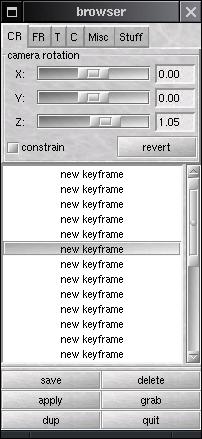
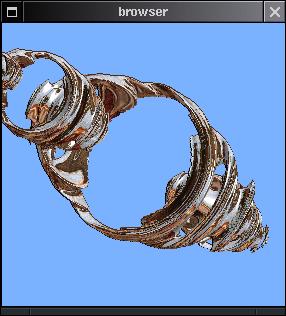
This is a program I wrote for my graphics class winter quarter of 1999. By interactively raytracing quaternion julia sets it allows for the user to create a series of keyframes and then produce an animation from those keyframes. In between frames are interpolated with either cubic splines or spherical quaternion interpolation. (sample output - 12M)

As much as I would like to release the source code it seems that the author of the raytracing code is not willing to do so. It should be relatively easy to do away with his code and if I have the time I will do so. This will hopefully be part of a larger project for producing quaternion fractal animations that will also involve qfe.
 
For those who want more information It had posted in project writeup.

Monday, April 16, 2007

InstantGallery 1.7


Instant Gallery 1.7


There's nothing like saying 'it will be ready today' to utterly screw up your deadlines! Some last minute niggles resulted in the beta only getting 'finished' yesterday evening. I'm going to hold off on the official release until Monday now to give people a chance to test it properly. I know some of you are dying to get hold of 1.7 so if you'd like a link to download the beta drop me an email to rory [at] thinkmac [dot] co [dot] uk.